User script X
Run user script X
Enables the user script, must be enabled to run on the ECU.
Description
Defines a custom name for the user script. Use a descriptive name that clearly indicates the script’s function.
Edit user Script Button
Press this button to open the User Script Editor and start editing the user script.
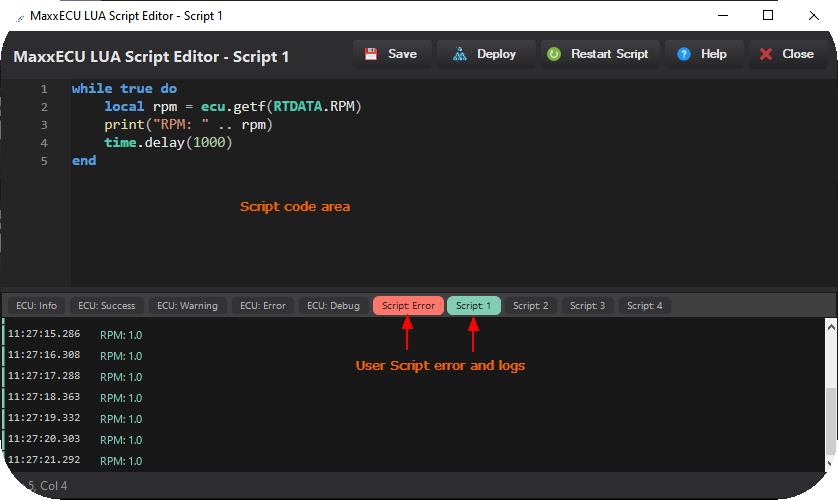
MaxxECU built-in LUA script editor with integrated error display and script logging.
Save button
Saves the script to the ECU without compiling or running it; use this to store work-in-progress scripts.
Deploy button
Saves, compiles, and immediately runs the script on the ECU.
Restart Script button
Stops and re-runs the currently deployed script from the beginning, resetting all variables and state.
For more information about the MaxxECU user scripts, see User Scripts (LUA), or directly reference the LUA api reference and LUA examples. For more all available LUA settings and options, see Script Code, Script Input Control, Output Functions and Script RT values.